Is Surface Pro 11th Edition Good for Developers? Know Real-World Performance Test
Ask any developer what they want from a work device and the answer is usually simple: it should be fast, reliable, and easy to carry around. Whether you’re writing code, testing builds, running containers, or just juggling too many tabs, your machine needs to keep up without slowing you down.
This is why many developers usually stick to traditional laptops. But recently, devices like the Microsoft Surface Pro 11 have started getting attention because they promise something different, performance with portability.
On paper, it looks impressive. But specs don’t always tell the real story. What matters is how it performs during actual development work.
So the real question is simple: can developers realistically use this as a primary machine?
Let’s look at it from a practical point of view.
Surface Pro 11th Edition: Specifications Developers Should Know
Before talking about real usage, it helps to understand what this device is actually offering.
The Microsoft Surface Pro 11 runs on Snapdragon X series processors. These chips are designed more around efficiency and AI workloads rather than traditional brute-force performance. In day-to-day development work, this translates into smoother multitasking and better battery usage rather than just benchmark numbers.
Developers running VS Code, terminals, Git tools, local servers, and browsers simultaneously will notice that the system stays responsive if configured properly.
RAM and storage options also matter here. With higher RAM configurations, developers can comfortably run IDEs, test environments, and background services without constantly worrying about memory usage.
The display is another surprisingly useful feature. The PixelSense touchscreen may not sound important for coding, but developers working on UI testing, frontend layouts, or product workflows often find touch interaction useful.
When you work with Dixit Infotech to upgrade developer machines, you get tailored Surface device configurations that match your development environment requirements, ensuring optimal performance rather than relying on standard models.
Surface Pro 11 for Different Types of Developers
Not every developer works the same way. A front-end developer has very different needs compared to a DevOps engineer.
Here’s how the device performs depending on development roles.
1. Surface Pro 11 for Web Developers
For web developers working with JavaScript frameworks, the Surface Pro 11th Edition handles typical workflows comfortably.
Running:
– VS Code
– Local Node servers
– Git clients
– Browser testing
—all together feels smooth in normal workloads.
For React, Next.js, or backend API testing, performance feels stable as long as projects are not extremely large.
2. Surface Pro 11 for App and Software Developers
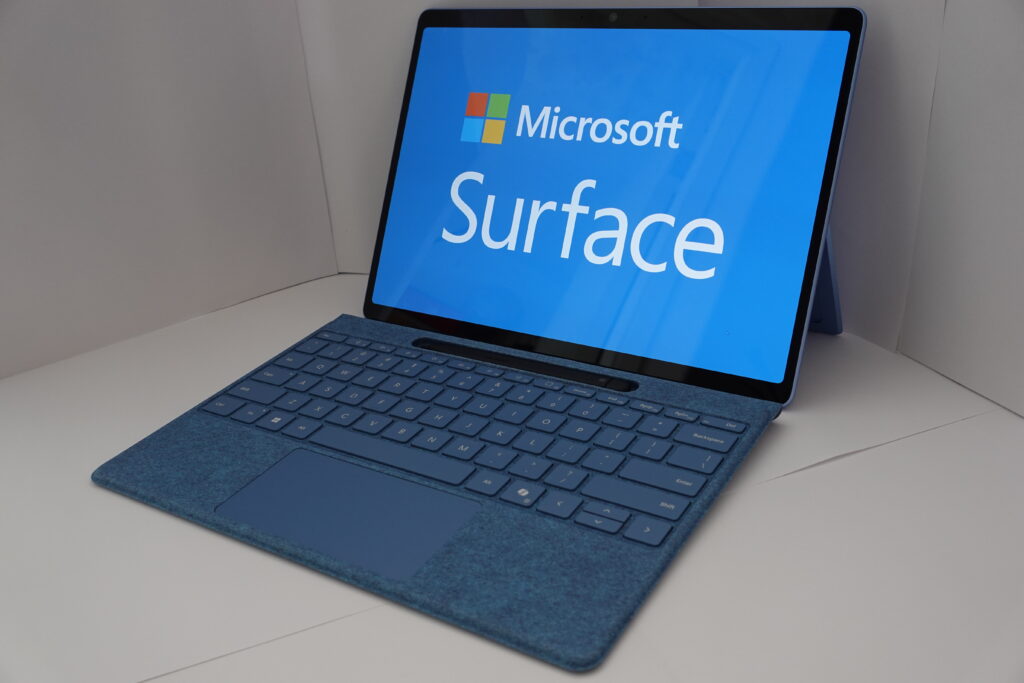
For developers working with Python, Java, or .NET environments, the Microsoft Surface Pro handles compilation and debugging well for medium-sized projects.
Visual Studio and JetBrains IDEs run reliably, although very large enterprise builds may still benefit from higher-powered workstations.
For most everyday software development though, performance is more than acceptable.
3. Surface Pro 11 for Cloud and DevOps Developers
DevOps engineers usually care about terminal performance, container support, and cloud connectivity more than anything else.
With proper setup, the Surface Pro 11th Edition works well with:
– Docker (with compatible setup)
– GitHub workflows
– Cloud dashboards
– Remote environments
Many companies rely on Dixit Infotech to set up developer environments, ensuring that tools and configurations are optimized from the very beginning.
4. Surface Pro 11 for AI and Data Developers
This is where things get interesting.
Because the Microsoft Surface Pro 11 includes AI processing support, developers experimenting with Python ML libraries or lightweight AI models may find it useful for testing and prototyping.
However, this is not a replacement for GPU workstations. Heavy ML training still belongs on dedicated hardware.
But for testing scripts, data processing, and AI experimentation, it works surprisingly well.
What are the Benefits of Choosing Surface Pro 11
After looking at different development scenarios, a few advantages become clear.
The biggest one is mobility.
Developers who move between office desks, meeting rooms, and home setups often appreciate how light the device feels compared to traditional developer laptops.
The second advantage is workflow flexibility. Developers often switch between coding, documentation, Slack discussions, and meetings. The Microsoft Surface Pro handles these transitions smoothly.
The touchscreen is surprisingly valuable, especially for UI reviews or architecture discussions, as it allows quick sketching and easy annotation that enhances collaboration and clarity.
Surface Pro 11 vs Traditional Developer Laptops
The Microsoft Surface Pro 11 takes a more balanced approach.
Instead of maximum performance, it focuses on practical performance:
– Enough power for daily coding
– Better portability
– Better battery efficiency
Developers who spend more time coding than compiling massive projects may actually prefer this balance.
Battery performance is another noticeable difference. Many traditional developer laptops struggle to last a full workday. Surface Pro 11 tends to last longer under normal workloads because of its efficiency-focused design.
Traditional developer laptops will win only in one area: raw power.
High-performance machines with dedicated GPUs will always outperform thin devices in heavy workloads. But they also come with trade-offs, weight, heat, and battery drain.
For extremely heavy development like simulation work or massive builds, workstation laptops still make sense.
But for everyday engineering work, the Surface Pro 11th Edition holds up better than many people expect.
Selecting the Microsoft Surface Pro 11th Edition for Business Productivity
From a business perspective, developer devices need to balance performance with manageability.
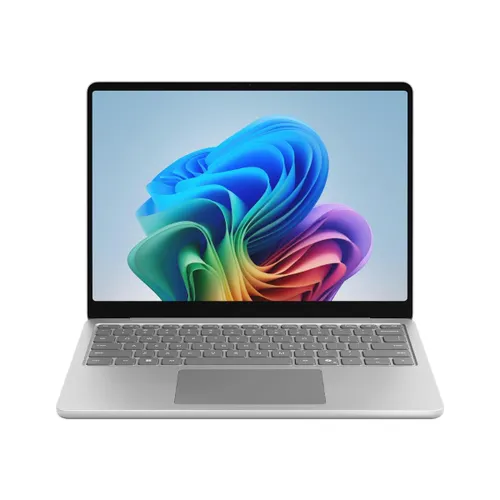
The Microsoft Surface Laptop for business offers a combination of mobility, battery life, and modern hardware support that fits well into distributed development teams.
For teams working remotely or in hybrid setups, portability becomes just as important as performance.
Organizations planning structured upgrades often work with experts at Dixit Infotech to make sure developers get the right configurations instead of one-size-fits-all deployments.
Final Verdict: Is Surface Pro 11th Edition Good for Developers?
For most developers, the Microsoft Surface Pro 11 proves to be a reliable and practical device. It offers a strong balance of performance, portability, and battery life, making it well-suited for everyday development tasks like coding, testing, documentation, and team collaboration.
While high-end workstations may still be better for extremely heavy workloads, the Surface Pro 11th Edition stands out as a smart choice for developers who want a flexible, lightweight device that supports both productivity and mobility in modern work environments.